
Camera geometry blocks#
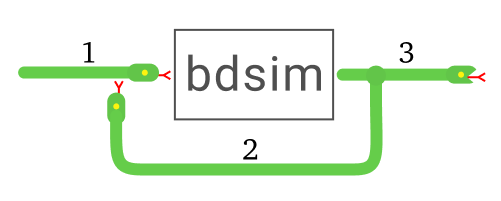
These blocks model camera projection functions.
- class Camera(*args: Any, **kwargs: Any)[source][source]#
Bases:
FunctionBlockCAMERA

Camera projection block.
- Parameters:
camera (Camera subclass, optional) – Camera model, defaults to None
blockargs (dict) – Additional options for the block, passed as a dictionary
- Returns:
a CAMERA block
- Return type:
Camera instance
Camera projection model.
Block ports
- input pose:
Camera pose as an SE3 object.
- input P:
world points as ndarray(3,N)
- output p:
image plane points as ndarray(2,N)
- __init__(camera=None, args={}, **blockargs)[source][source]#
- Parameters:
camera (Camera subclass, optional) – Camera model, defaults to None
blockargs (dict) – Additional options for the block, passed as a dictionary
- Returns:
a CAMERA block
- Return type:
Camera instance
Camera projection model.
Block ports
- input pose:
Camera pose as an SE3 object.
- input P:
world points as ndarray(3,N)
- output p:
image plane points as ndarray(2,N)
- class Visjac_p(*args: Any, **kwargs: Any)[source][source]#
Bases:
FunctionBlockVISJAC_P

Interaction-matrix block for image points.
- Parameters:
camera (Camera subclass, optional) – Camera model, defaults to None
depth (float or ndarray) – Point depth
depthest (bool, optional) – Use depth estimation, defaults to True
blockargs (dict) – Additional options for the block, passed as a dictionary
- Returns:
a VISJAC_P block
- Return type:
Visjac_p instance
If the Jacobian
- __init__(camera, depth=1, depthest=False, **blockargs)[source][source]#
- Parameters:
camera (Camera subclass, optional) – Camera model, defaults to None
depth (float or ndarray) – Point depth
depthest (bool, optional) – Use depth estimation, defaults to True
blockargs (dict) – Additional options for the block, passed as a dictionary
- Returns:
a VISJAC_P block
- Return type:
Visjac_p instance
If the Jacobian
- class EstPose_p(*args: Any, **kwargs: Any)[source][source]#
Bases:
FunctionBlockESTPOSE_P

Pose-estimation block for image points.
- Parameters:
camera (Camera subclass, optional) – Camera model, defaults to None
P (ndarray(2,N)) – World point coordinates
frame (str, optional) – return pose of points with respect to reference frame which is one of: ‘world’ [default] or ‘camera’
method (str, optional) – pose estimation algorithm one of: ‘iterative’ [default], ‘epnp’, ‘p3p’, ‘ap3p’, ‘ippe’, ‘ippe-square’
blockargs (dict) – Additional options for the block, passed as a dictionary
- Returns:
a ESTPOSE_P block
- Return type:
EstPose_p instance
- __init__(camera, P, frame='world', method='iterative', **blockargs)[source][source]#
- Parameters:
camera (Camera subclass, optional) – Camera model, defaults to None
P (ndarray(2,N)) – World point coordinates
frame (str, optional) – return pose of points with respect to reference frame which is one of: ‘world’ [default] or ‘camera’
method (str, optional) – pose estimation algorithm one of: ‘iterative’ [default], ‘epnp’, ‘p3p’, ‘ap3p’, ‘ippe’, ‘ippe-square’
blockargs (dict) – Additional options for the block, passed as a dictionary
- Returns:
a ESTPOSE_P block
- Return type:
EstPose_p instance
- class ImagePlane(*args: Any, **kwargs: Any)[source][source]#
Bases:
GraphicsBlockIMAGEPLANE

Graphics block that displays points on the image plane.
Create a block that plots image plane coordinates.
- Parameters:
camera (Camera instance) – a camera model
style (str or dict, list of strings or dicts; one per line, optional) – styles for each point to be plotted
grid (bool or sequence) – draw a grid, defaults to True. Can be boolean or a tuple of options for grid()
retain (bool, optional) – keep previous image plane points, defaults to False
watch (bool, optional) – add these signals to the watchlist, defaults to False
init (callable, optional) – function to initialize the graphics, defaults to None
blockargs (dict) – Additional options for the block, passed as a dictionary
- Returns:
An IMAGEPLANE block
- Return type:
ImagePlane instance
Create a block that plots points on a camera object’s virtual image plane.
Examples:
SCOPE()
SCOPE(nin=2)
SCOPE(nin=2, scale=[-1,2])
SCOPE(styles='k--')
SCOPE(styles=[{'color': 'blue'}, {'color': 'red', 'linestyle': '--'}])
SCOPE(styles=['k', 'r--'])
- __init__(camera, style=None, labels=None, grid=True, retain=False, watch=False, init=None, **blockargs)[source][source]#
Create a block that plots image plane coordinates.
- Parameters:
camera (Camera instance) – a camera model
style (str or dict, list of strings or dicts; one per line, optional) – styles for each point to be plotted
grid (bool or sequence) – draw a grid, defaults to True. Can be boolean or a tuple of options for grid()
retain (bool, optional) – keep previous image plane points, defaults to False
watch (bool, optional) – add these signals to the watchlist, defaults to False
init (callable, optional) – function to initialize the graphics, defaults to None
blockargs (dict) – Additional options for the block, passed as a dictionary
- Returns:
An IMAGEPLANE block
- Return type:
ImagePlane instance
Create a block that plots points on a camera object’s virtual image plane.
Examples:
SCOPE()
SCOPE(nin=2)
SCOPE(nin=2, scale=[-1,2])
SCOPE(styles='k--')
SCOPE(styles=[{'color': 'blue'}, {'color': 'red', 'linestyle': '--'}])
SCOPE(styles=['k', 'r--'])