Mobile robot blocks
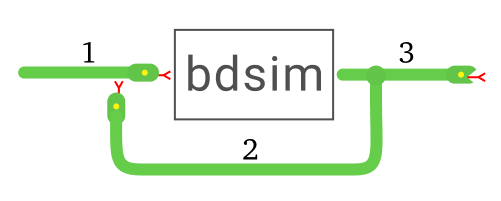
- class Bicycle(L=1, speed_max=inf, accel_max=inf, steer_max=1.413716694115407, x0=None, **blockargs)[source]
Bases:
ContinuousBlockBICYCLE
Vehicle model with Bicycle kinematics.
- Inputs:
2
- Outputs:
1
- States:
3
Port type
Port number
Types
Description
Input
0
float
\(v\), longitudinal velocity
Input
1
float
\(\gamma\), steer angle
Output
0
ndarray(3)
\(\mathit{q} = (x, y, \theta)\), vehicle configuration
Bicycle kinematic model with velocity and steering inputs and vehicle configuration as output.
Various limits are applied to the inputs:
velocity limit
speed_maxacceleration limit
accel_maxsteering limit
steer_max
- __init__(L=1, speed_max=inf, accel_max=inf, steer_max=1.413716694115407, x0=None, **blockargs)[source]
- Parameters:
L (
float) – Wheelbase, defaults to 1speed_max (
float) – Velocity limit, defaults to math.infaccel_max (
float) – maximum acceleration, defaults to math.infsteer_max (
float) – maximum steered wheel angle, defaults to math.pi*0.45x0 (
Union[List[float],Tuple[float,float,float],ndarray[Tuple[Literal[3]],dtype[floating]],None]) – Initial state, defaults to [0,0,0]blockargs (
Any) – common Block options
Deprecated since version 1.4.0: the
vlimandslimkeywords are deprecated, usespeed_maxandsteer_maxinstead.
- class Unicycle(w=1, speed_max=inf, accel_max=inf, steer_max=inf, x0=None, **blockargs)[source]
Bases:
ContinuousBlockUNICYCLE
Vehicle model with Unicycle kinematics.
- Inputs:
2
- Outputs:
1
- States:
3
Port type
Port number
Types
Description
Input
0
float
\(v\), longitudinal velocity
Input
1
float
\(\omega\), turn rate
Output
0
ndarray(3)
\(\mathit{q} = (x, y, \theta)\), vehicle configuration
Unicycle kinematic model with velocity and steering inputs and vehicle configuration as output.
Various limits are applied to the inputs:
velocity limit
speed_maxacceleration limit
accel_maxsteering limit
steer_max
- __init__(w=1, speed_max=inf, accel_max=inf, steer_max=inf, x0=None, **blockargs)[source]
- Parameters:
w (
float) – vehicle width, defaults to 1speed_max (
float) – Velocity limit, defaults to math.infaccel_max (
float) – maximum acceleration, defaults to math.infsteer_max (
float) – maximum turn rate \(\omega\), defaults to math.infx0 (
Union[List[float],Tuple[float,float,float],ndarray[Tuple[Literal[3]],dtype[floating]],None]) – Initial state, defaults to [0,0,0]blockargs (
Any) – common Block options
- class DiffSteer(w=1, R=1, speed_max=inf, accel_max=inf, steer_max=None, x0=None, **blockargs)[source]
Bases:
ContinuousBlockDIFFSTEER
Differential steer vehicle model
- Inputs:
2
- Outputs:
1
- States:
3
Port type
Port number
Types
Description
Input
0
float
\(\omega_L\), left-wheel angular velocity (radians/sec).
Input
1
float
\(\omega_R\), right-wheel angular velocity (radians/sec).
Output
0
ndarray(3)
\(\mathit{q} = (x, y, \theta)\), vehicle configuration
Differential steering kinematic model with wheel velocity inputs and vehicle configuration as output.
Various limits are applied to the inputs:
velocity limit
speed_maxacceleration limit
accel_maxsteering limit
steer_max
Note
Wheel velocity is defined such that if both are positive the vehicle moves forward.
- __init__(w=1, R=1, speed_max=inf, accel_max=inf, steer_max=None, x0=None, **blockargs)[source]
- Parameters:
w (
float) – vehicle width, defaults to 1R (
float) – Wheel radius, defaults to 1speed_max (
float) – Velocity limit, defaults to math.infaccel_max (
float) – maximum acceleration, defaults to math.infsteer_max (
float|None) – maximum steering rate, defaults to None (no limit)x0 (
Union[List[float],Tuple[float,float,float],ndarray[Tuple[Literal[3]],dtype[floating]],None]) – Initial state, defaults to [0,0,0]blockargs (
Any) – common Block options
- class VehiclePlot(animation=None, path_style=None, labels=('X', 'Y'), square=True, init_func=None, limits='auto', shape='car', size=None, polygon_style=None, **blockargs)[source]
Bases:
GraphicsBlockVEHICLEPLOT
Vehicle animation
- Inputs:
1
- Outputs:
0
- States:
0
Port type
Port number
Types
Description
Input
0
float
\(\mathit{q} = (x, y, \theta)\), vehicle configuration
Create a vehicle animation similar to the figure below.
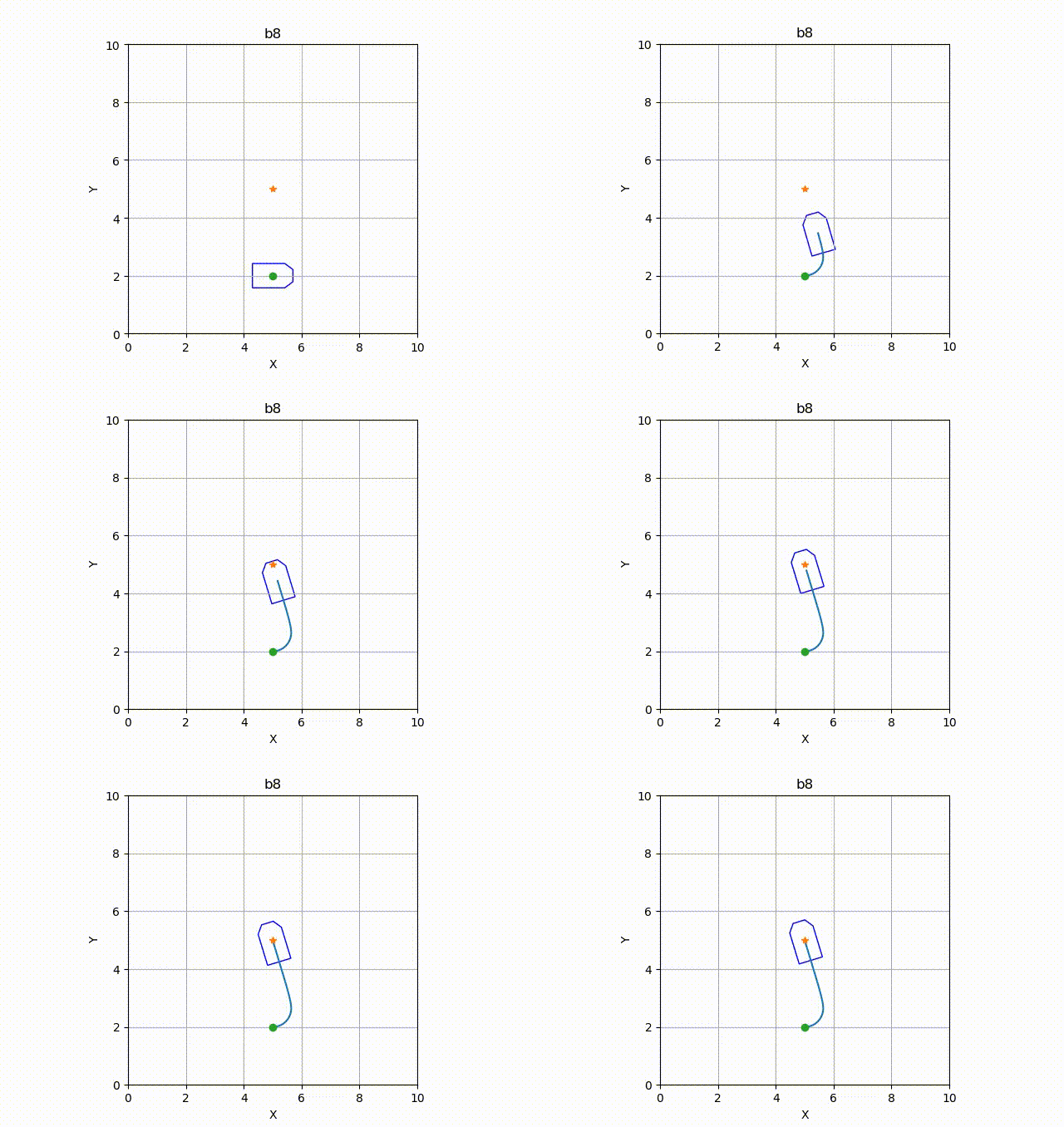
Example of vehicle display (animated). The label at the top is the block name.
- AXES_POLICY = 'subplot'
- TIMESTAMP = True
- __init__(animation=None, path_style=None, labels=('X', 'Y'), square=True, init_func=None, limits='auto', shape='car', size=None, polygon_style=None, **blockargs)[source]
- Parameters:
animation (
VehicleAnimationBase|None) – Graphical animation of vehicle, aVehicleAnimationBasesubclass, defaults to aVehiclePolygonpath_style (
str|dict[str,Any] |None) – Matplotlib linestyle string or dict of arguments used to plot the path taken by vehicle, defaults to None (no path)labels (
tuple[str,str]) – axis labels (xlabel, ylabel), defaults to (“X”, “Y”)square (
bool) – Set aspect ratio to 1, defaults to Trueinit_func (
Callable[[Axes],None] |None) – function called with the axes to initialize graphics, defaults to Nonelimits (
str|ndarray|Sequence[float]) – axis limits:"auto",[min, max]used for both axes, or[xmin, xmax, ymin, ymax], defaults to"auto"shape (
str) – shape of vehicle, passed to the default animation, defaults to"car"size (
float|ndarray|Sequence[float] |None) – size of vehicle, passed to the default animation, defaults to None (the animation’s default)polygon_style (
dict[str,Any] |None) – Matplotlib patch options (color,alpha,edgecolor, …) for the default animationVehiclePolygon, defaults to None. The dict is not modified.blockargs (
Any) – common GraphicsBlock options
- Raises:
TypeError –
animationis not aVehicleAnimationBase
Deprecated since version 1.5.0: the arguments
path,init,scaleandpolyargsare deprecated, usepath_style,init_func,limitsandpolygon_styleinstead.Note
The
init_funcfunction is called after the axes are initialized and can be used to draw application specific detail on the plot. In the example below, this is the dot and star.If an
animationobject is not provided then a default polygon animation is created. It’s size and shape can be set by thesizeandshapeparameters, which are passed to the animation object, or a dictionary of argumentspolygon_stylewhich is passed to the default animation object.A dynamic trail, showing path to date can be animated if the option
path_styleis set to a linestyle.