Image.showwindow#
- Image.showwindow(h, ax=None, **kwargs: Any) Any[source]#
Superimpose a colored window on the image.
- Parameters:
h (int) – The half-width of the window, so the total window size is (2h+1)x(2h+1)
ax – The axes on which to display the window, defaults to the current axes
- Returns:
The window instance
- Return type:
Any
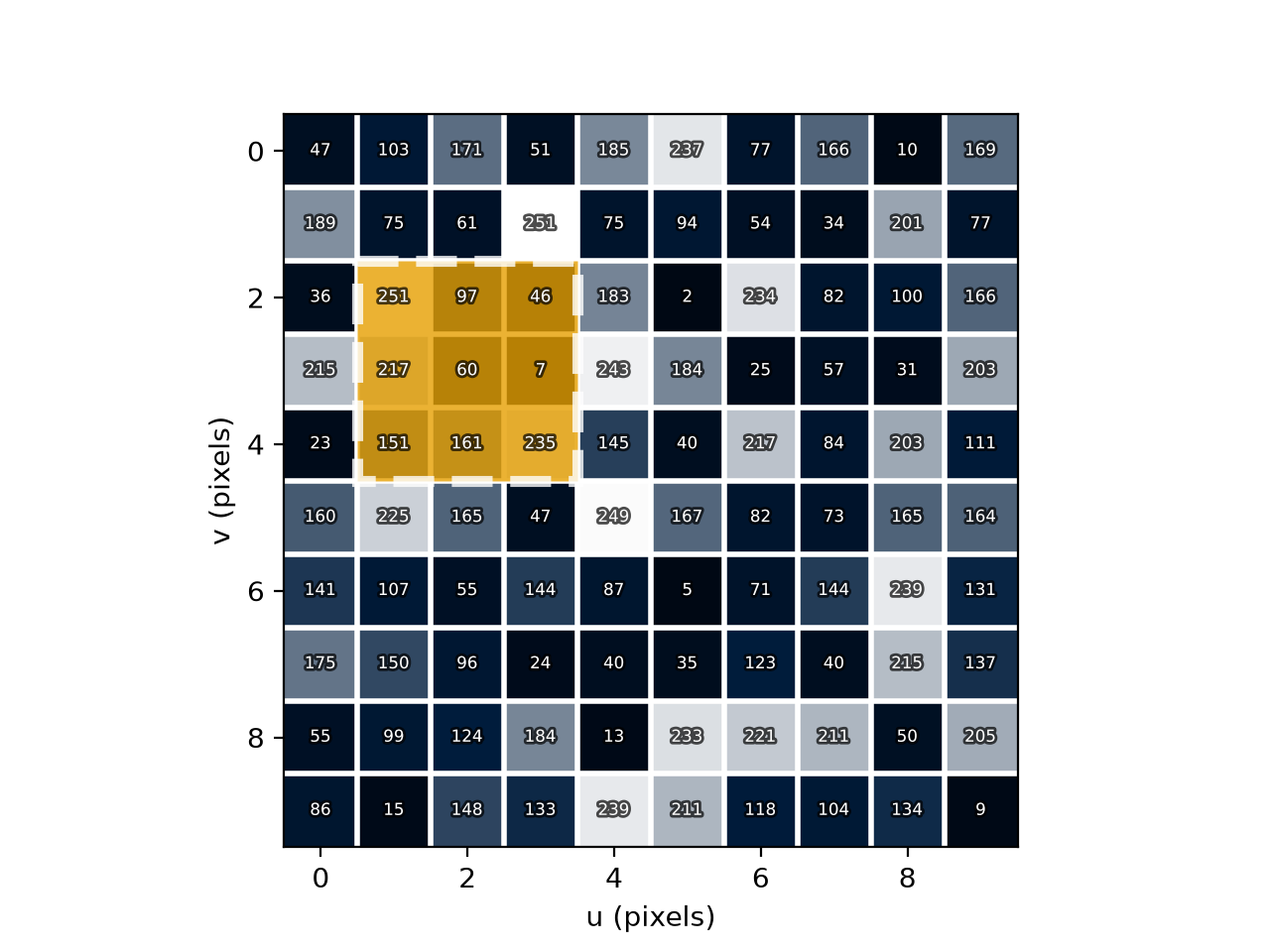
Overlay a colored window on the image, and return a
Windowinstance that can be used to manipulate the window and get the pixel values in the window. This is intended for pedagogical purposes, to demonstrate window operations such as convolution and morphological operations:>> window = img.showwindow(h=1, ax=ax) # create a window of size 3x3
The window is a square of size (2h+1)x(2h+1) pixels. It can be centered on the pixel at (u,v) by calling:
>> W = window.move(u, v)
which also returns the pixel values in the window as 2D Numpy array
W. The window’s visibility can be turned on and off usingwindow.visible(True|False).Multiple windows, with different appearances, can be created on the same image, and each can be manipulated independently. The window’s appearance can be configured by passing additional keyword arguments in
kwargswhen the window is created, with defaults:facecolor: “#E69F00”alpha: 0.8fill: Trueedgecolor: “#FFFFFFFF”linewidth: 4linestyle: “–”
Example:
>>> from machinevisiontoolbox import Image
>>> img = Image.Random(size=10)
>>> img.showpixels()
<Axes: xlabel='u (pixels)', ylabel='v (pixels)'>
>>> window = img.showwindow(h=1)  # with 3x3 window
>>> W = window.move(2,3) # position window at (2,3)
>>> print(W) # print the pixel values in the window
[[ 93 184 150]
 [184 119  38]
 [ 34  42 179]]
(
Source code,png,hires.png,pdf)
- Seealso: